Quick start
From a niche idea to a usable shortlist in a few steps.
Choose a format. Toggle Paperback or Kindle. Category difficulty differs by format.
Filter if useful. Type a topic to narrow results, or leave blank to browse top-level categories.
Find categories. Fee returns matching BISAC paths sorted easiest-first.
Read difficulty. Each row is flagged Easy, Medium, or Hard to crack.
Check sales-to-rank. See the Confidence-labelled copies per day to reach number one and number ten.
Grab the keywords. Tap Keywords on any row to copy the terms that fit that category.
Screenshot walkthrough
The full screen once, then a closer look at the parts that matter.
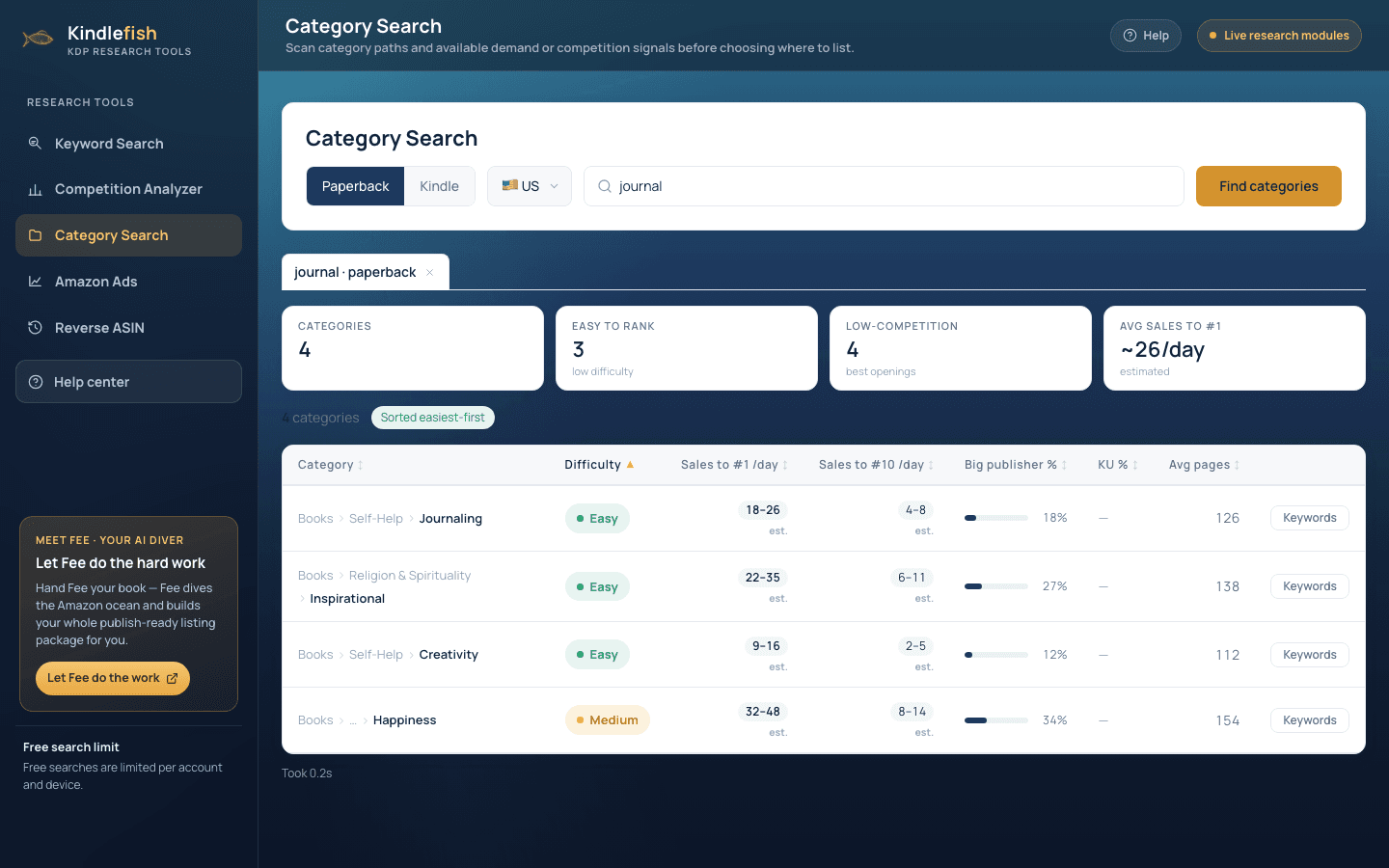
- PaperbackKindleUSjournal
- Easy to rank3low difficulty
- DifficultyEasyMediumHard
- Sales to #1 /daySales to #10 /day18-264-8
How to read the results
What each number means, and what good looks like.
Difficulty
Easy, Medium, or Hard: the headline read on how crackable a category is.
Sales to #1 / day
Confidence-labelled copies per day needed to reach number one. Lower is easier.
Sales to #10 / day
What it takes to reach the top ten, a gentler first target than number one.
Big publisher %
Share of the category held by major publishers. Lower means more room for indies.
KU %
How much of the category is Kindle Unlimited, relevant if you enrol in KU.
Avg pages
Typical book length in the category, so you can match reader expectations.
Best practices
Small habits that make the data pay off.
Stack two easy categories. KDP can place books in multiple categories. Pair relevant low-difficulty paths for more discovery routes.
Mind the big-publisher share. Avoid categories dominated by major publishers; indies often win in the gaps.
Match the format. Re-check difficulty per format. A category easy in paperback can be crowded in Kindle.
Use the per-category keywords. The keyword list on each row helps your metadata actually match the category.