Quick start
From a niche idea to a usable shortlist in a few steps.
Enter a seed. Give a keyword, or paste competitor ASINs to mine connected terms.
Generate targets. Fee builds grouped, bid-priced keyword targets across themes.
Review the groups. Targets are organised by intent, such as Core intent and Audience.
Set match types. Each target shows Exact, Phrase, or Broad with a suggested bid range.
Tick what you want. Select the targets to keep; they collect in the Selected panel.
Export or copy. Export CSV or copy the list into your Amazon Ads campaign setup.
Screenshot walkthrough
The full screen once, then a closer look at the parts that matter.
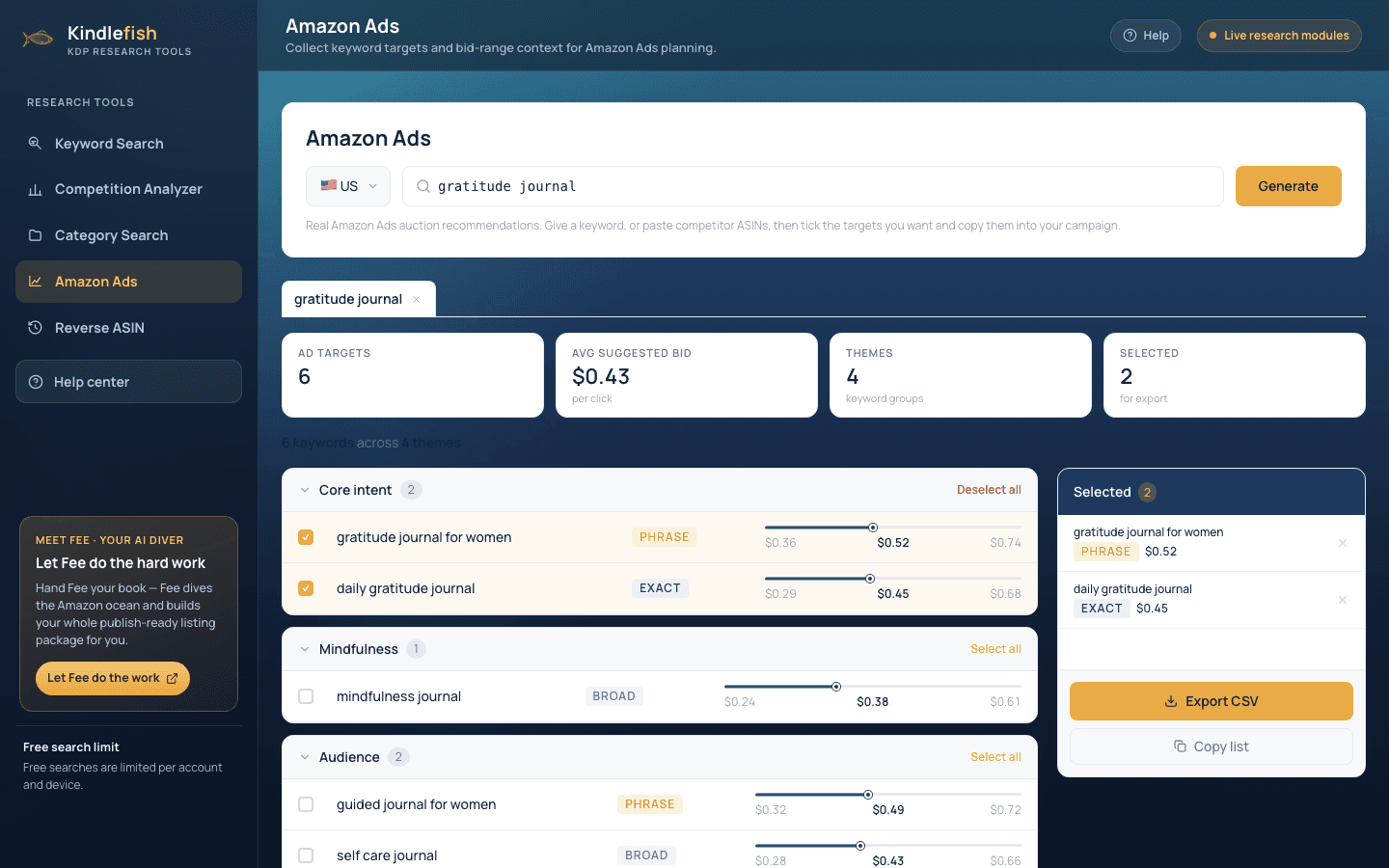
- USgratitude journal
- Ad targets6Avg suggested bid$0.43per click
- Core intent2
- gratitude journal for womenPhrase$0.36$0.52$0.74
How to read the results
What each number means, and what good looks like.
Match type
Exact is tightest, Phrase is mid, and Broad is widest. Start tight, widen later.
Suggested bid
A low-mid-high range per keyword. Begin near the middle and adjust on data.
Themes
Targets grouped by intent so you can build tidy, well-structured ad groups.
Selected
Your running shortlist, which you can export or copy into a campaign.
Best practices
Small habits that make the data pay off.
Separate ad groups by match type. Keep Exact, Phrase, and Broad in their own groups for cleaner bidding and reporting.
Start near the suggested bid. Open near the middle of the range, then raise winners and cut wasters after a week.
Mine competitor ASINs. Paste rival ASINs to harvest terms shoppers use to find similar books.
Cap daily spend early. Begin with a small budget to learn which targets convert before scaling.